
Configure Custom Inactivity Logout Duration
Automatic Logout: Our system is designed to enhance security by automatically logging users out after 30 minutes of inactivity by default. This measure ensures the protection of your account and sensitive information.
Resuming Your Session: Should you find yourself logged out from Conversive due to inactivity, simply log in again to resume your session and continue your tasks uninterrupted.
Note: If you opt not to specify a custom time limit, the system will automatically set the session timeout to 30 minutes.
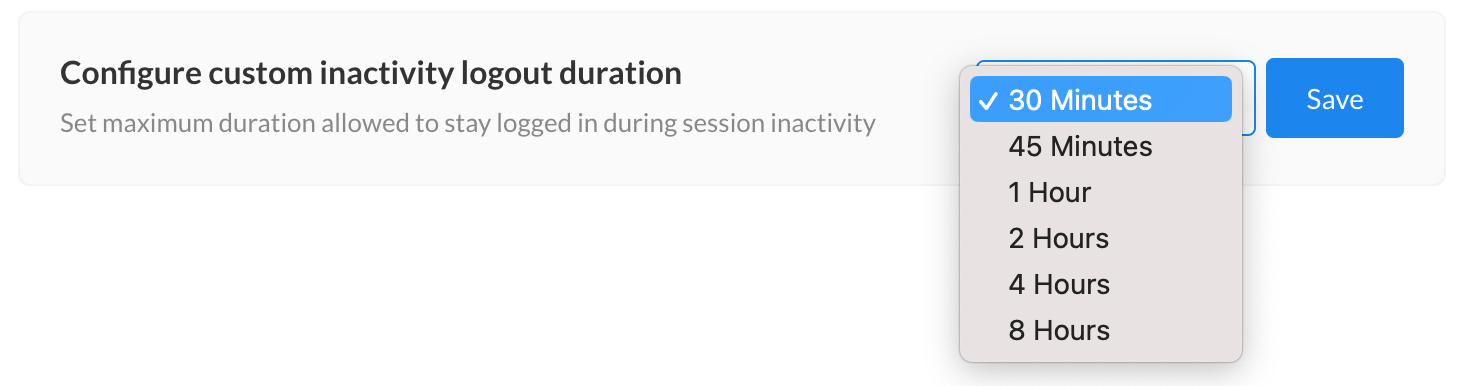
Adjusting Session Duration: To customize the maximum duration allowed for staying logged in during session inactivity, follow these steps:
Click on the "Edit" button.

You will be able to see a dropdown where you can set the desired time limit.

After setting your preferred duration, click on "Save."
The setting will be saved at the account level, affecting all users in account.
